# Announcing RetroVault
*August 2026*
[RomM](https://github.com/rommapp/romm) is the best thing to happen to my game library, and I think it is a preview of how personal media should work generally.
Point it at a collection and it scans the files, identifies their systems, enriches them with metadata and artwork, understands multi-disc games and revisions and patches, and serves the result through a web interface and an API. What comes back is not a folder. It is a catalog: cover art, release dates, collections, favorites, play history, saves, all assembled out of files that a filesystem could only ever describe by name.
The important part is where it runs. Mine is on [a server called Mercury](/essays/2026-06-05-a_server_called_mercury): my hardware, my disk, my rules. The collection has one durable identity in one place, and everything else is a client. A browser reaches it. [Cannoli on my AYN Thor](/essays/2026-07-18-teaching_cannoli_which_screen_is_home) reaches it from the couch. Nothing scrapes its own private copy. Nothing but the server owns the truth.
That is the future, and it is not really about games. It is what every library you care about should look like: one canonical collection you control, and as many native doors into it as you have screens.
My Mac did not have a door. RetroVault was supposed to be one. A library browser, nothing more, pointed at a server that already knew what everything was.
Eleven days later, it plays games.
## The Problem Was Never Emulation
Emulation is the solved part, and the astonishing part. Someone recreated enough of an old machine in software that code written for a cartridge in 1991 runs on a laptop sharing none of its assumptions.
What emulators do not give you is a library, but RomM already handled that. The gap was narrower and more specific: a catalog in a browser tab is not a Mac application, and it cannot reach the things playing a game requires. Local engines. A GPU. Controllers the operating system already knows about. Firmware, save files, and a place to put them. Something has to stand between an excellent server and the hardware in front of you.
That something is a frontend: the software that maps controllers, launches the right engine with the right files, and makes a dozen unrelated technical projects feel like one place. Good ones exist. Power-user control panels with every core exposed. Ten-foot launchers for televisions and handhelds. Desktop managers that file emulated games next to Steam. None of them is wrong. They answer different questions. Mine was Mac-shaped: what would this look like if someone designed it as a native macOS application in 2026?
## What OpenEmu Got Right
[OpenEmu](https://github.com/OpenEmu/OpenEmu) is the obvious ancestor of that question, and one of the great Mac applications.
It understood that emulation on macOS deserved what its README calls "first-class citizenship." Modular engines, one native interface. You dragged in games from six different systems, let the app identify them, browsed cover art, connected a controller, and played, carrying none of the implementation details in your head.
That was a product decision, not a packaging exercise. OpenEmu translated an entire category into the language of the Mac and made a folder of files feel like a personal media library.
It has also gone quiet. [Version 2.4.1](https://github.com/OpenEmu/OpenEmu/releases/tag/v2.4.1), the current public release, shipped in December 2023, Intel-only. The repository still gets attention, with build and core fixes as recently as October 2025, but the version a normal person can download belongs to an earlier era of Mac hardware.Stale is not the same as bad, and nowhere near dead. The gap is between the enduring quality of OpenEmu's idea and the age of its stable distribution.
RetroVault is my run at the same idea from scratch: no fork, no shared code, no shared library format. Apple silicon, SwiftUI, Metal. Plus one rule OpenEmu never had to consider.
## The Server Stays In Charge
RetroVault treats RomM as the database."Like a database" describes the relationship, not the wire protocol. RetroVault talks to RomM over its authenticated HTTP API. The server owns the canonical records and the storage; the Mac keeps a disposable cache plus explicitly managed downloads and saves. It does not scan a folder and construct a second permanent library from whatever filenames happen to be lying around. It asks the server what exists, caches metadata and artwork locally for speed and offline browsing, and fetches an actual game only when I choose to play it.
That is the rule I refused to break. RomM stays authoritative. RetroVault may cache, download, stage firmware, hold a save. It may not invent a second organizational universe and hand me the reconciliation problem six months later. Every tool that decides it should own your data begins by being helpful and ends as a migration.
Which is why the project started with browsing instead of playing. Before it could run anything, it had to prove it could live inside an existing library without trying to take it over.
## The Display Is Part of the Game
Getting an old game onto a modern display is easy. Deciding what it should look like once it arrives is not.
Nearest-neighbor scaling is perfectly sharp and somehow wrong, sharper than the art was ever drawn for. A generic CRT shader errs the other direction, dressing every system in the same nostalgic costume. Handheld pixels, an arcade monitor, a living-room television, and a modern console never shared a piece of glass.
So RetroVault has its own Metal presentation pipeline. Software frames and hardware-rendered frames meet in the same path, where one fragment pass applies sharp bilinear scaling, xBR, LCD treatment, or CRT presentation without adding a frame of latency.
The default is Smart CRT, which checks the system before deciding what geometry belongs on screen. Television-era consoles, arcade boards, and DOS get a curved tube: enough barrel distortion and soft corner darkening to suggest old glass without becoming a special effect. Handhelds stay flat. Newer systems stay flat. The curve never touches them.Smart CRT is a policy, not a shader preset. The system list is explicit and tested: NES, SNES, Genesis, PlayStation, arcade, DOS, and their television-era peers curve. Game Boy Advance, PSP, Wii, newer displays, and anything unrecognized fall back to flat.
Underneath the geometry: source-aligned scanlines, an RGB phosphor mask measured in physical Retina pixels, and brief phosphor persistence carried from the previous frame. The flat path has no vignette, no crop, no bent picture.
It is a small thing in a project full of larger machinery, and it is the part I would defend hardest.
## The Rest of It
Everything else is the machinery that turns a browser into a player. Twenty-seven bundled Libretro cores. Cemu and Vita3K hosted as standalone engines, because their internal worlds are too substantial to pretend they are interchangeable cores. DSU/Cemuhook support, so hardware that never speaks a native Apple API still delivers motion, rumble, and multiple slots. My Switch 2 Pro Controller arrives through my [switch2bridge-macos fork](https://github.com/kennethreitz/switch2bridge-macos). Hold L3 to rewind, R3 to fast-forward. A Save Center that stages, compares, and backs up instead of overwriting, and checkpoints active sessions every minute.
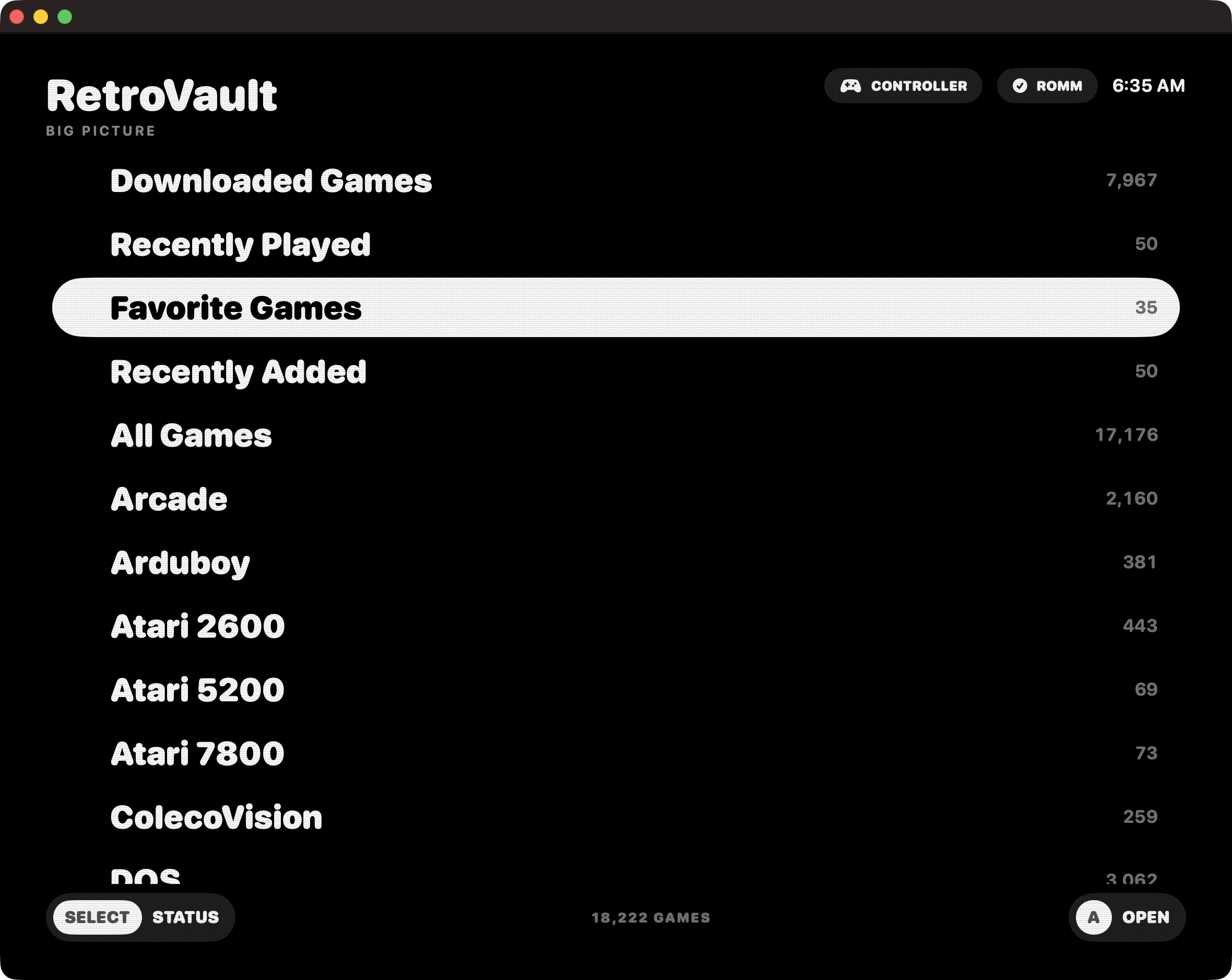
And a Big Picture mode, because a library operated from a desk and a library operated with a controller in both hands are not the same interface. From a desk I want density: search, inspect, manage saves, decide which renderer a stubborn game needs. From a couch all of that is noise.
That mode is also what killed the original name. I had called it OpenVault, which described the architecture accurately and the experience not at all. On July 31 it became RetroVault. RomM is the vault; this is the native way in.
## The Preview
You can [download RetroVault 2026.8.5 from GitHub Releases](https://github.com/kennethreitz/RetroVault/releases) today.
It is a prerelease and I mean that honestly. It wants an Apple silicon Mac running macOS 26 and a RomM 5.x server. The disk image is ad-hoc signed rather than notarized, so macOS may ask you to approve it through Privacy & Security the first time. Every release ships a SHA-256 checksum. Cemu and Vita3K support is experimental. Compatibility varies by system, core, firmware, and title. RetroVault includes no games, BIOS files, firmware, encryption keys, or other copyrighted system material.
It is licensed [GPL v2 or later](https://github.com/kennethreitz/RetroVault/blob/main/LICENSE), with a narrow linking exception for separately licensed cores and hosted engines. I usually prefer permissive licenses, but this thing stands on decades of GPL emulation work, and a frontend that becomes the face of someone's library belongs to the same bargain as [an opinionated launcher](/essays/2026-07-18-teaching_cannoli_which_screen_is_home).
A public preview should not mean "please imagine a product around this screenshot." RetroVault is already how I browse and play my own library. The label means the boundaries are still being learned, and I would rather say so than hide it behind a version number.
The library stays on Mercury, where I control it. The Mac is just where I walk in.