

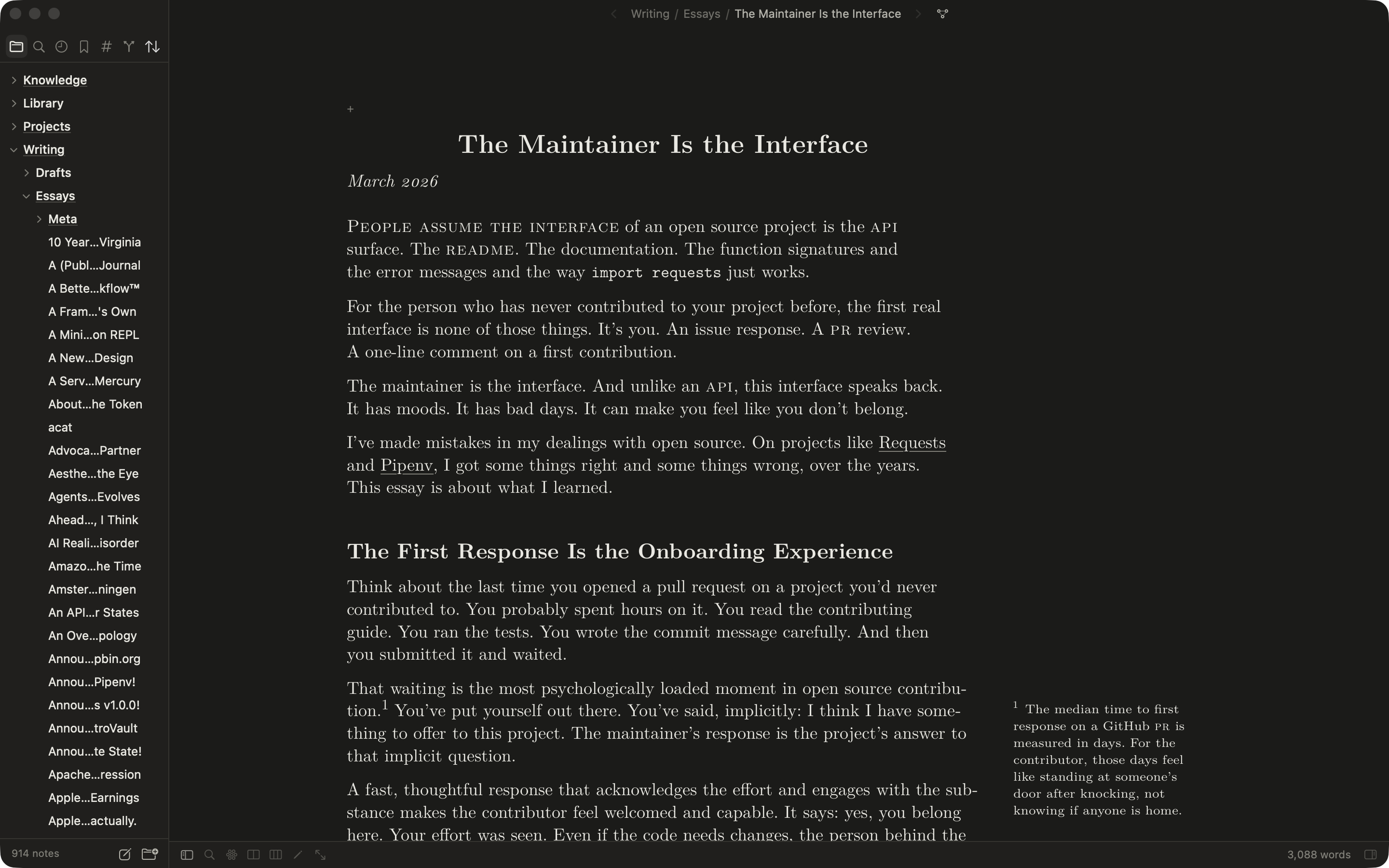
 An essay in Onyx's reader, typeset in Latin Modern, with a sidenote in the margin.
Three weeks ago I made my notes look like LaTeX papers. Then I wanted to live inside them.
Reitz LaTeX was a theme: an Obsidian skin that edits like iA Writer and reads like a typeset paper. But a theme is a guest in someone else's house, and every time I flipped into Reading view I could feel the walls of the house around the page. I didn't want a nicer coat of paint. I wanted the whole room.
So I built the room. It's called Onyx: a native Mac app for your Obsidian vault, typeset like a book. The tagline is two words, and I mean both of them.
Notes, typeset.
The Files Were Always the Point
I'll start with the rule, because everything else follows from it.
Your notes are a folder of Markdown files. They were there before Onyx, and they'll be there after it. Onyx opens that folder as it is. No import step, no conversion, no database that slowly becomes the real copy while your files turn into an export format. No account. It does not phone home.
Every app that decides it should own your writing starts out helpful and ends up as a migration. Plain text is the only format I trust to outlive the software that edits it, and a notes app that forgets that has forgotten what it's for.
So Onyx is a front door, not a vault. The vault is yours. Obsidian can keep running right alongside it.
Reading Like a Book
Here's the part I actually built it for.
Onyx has two modes and one keystroke between them. The editor is IBM Plex Mono with live Markdown styling: a quiet workshop where the markup stays honest and nothing shifts under your cursor. Press ⌘E and the same note becomes a page, set in Latin Modern (or ET Book, if you prefer Tufte's company).
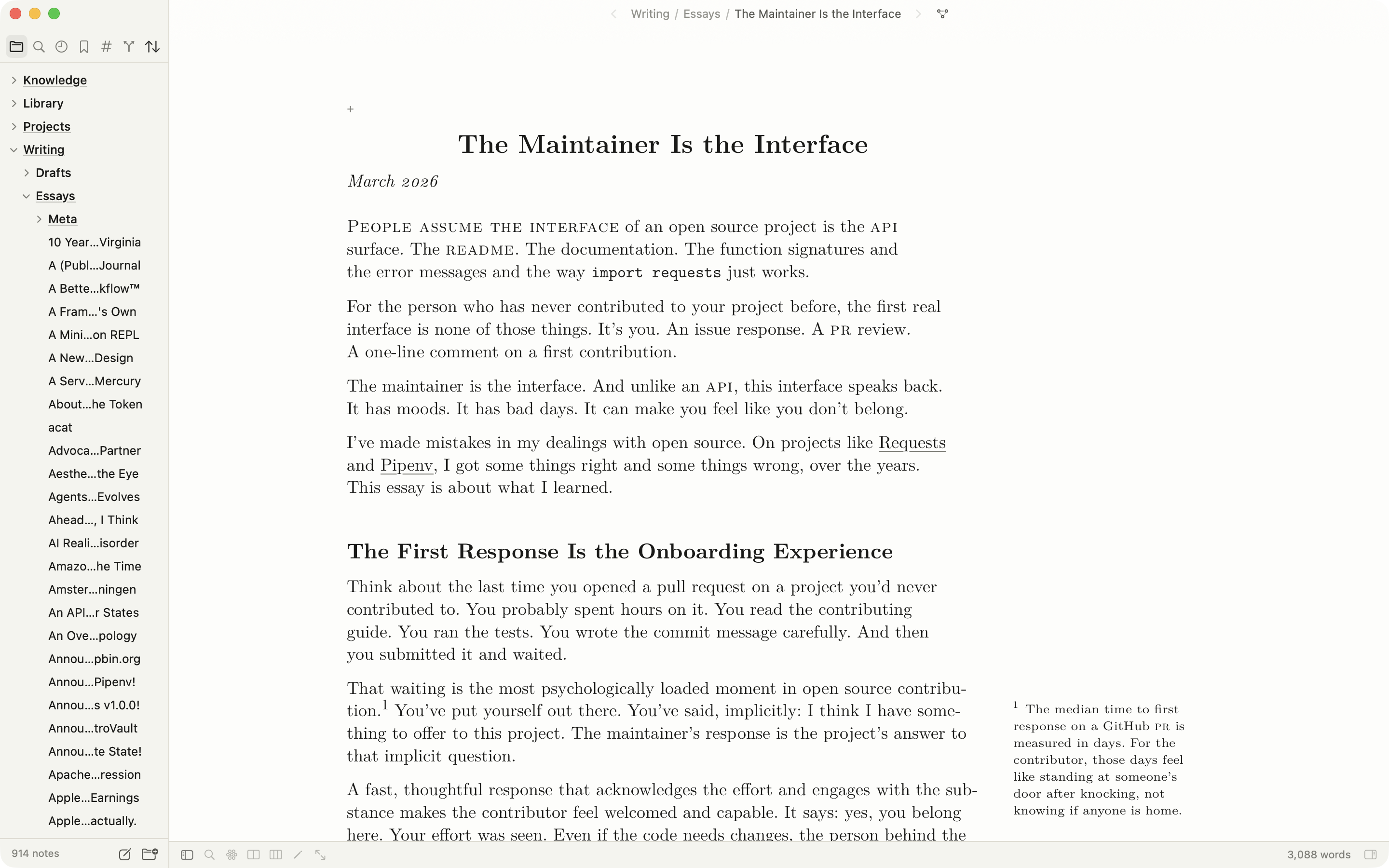 Reading: the note as a typeset page, with small caps, hyphenation, and a sidenote.
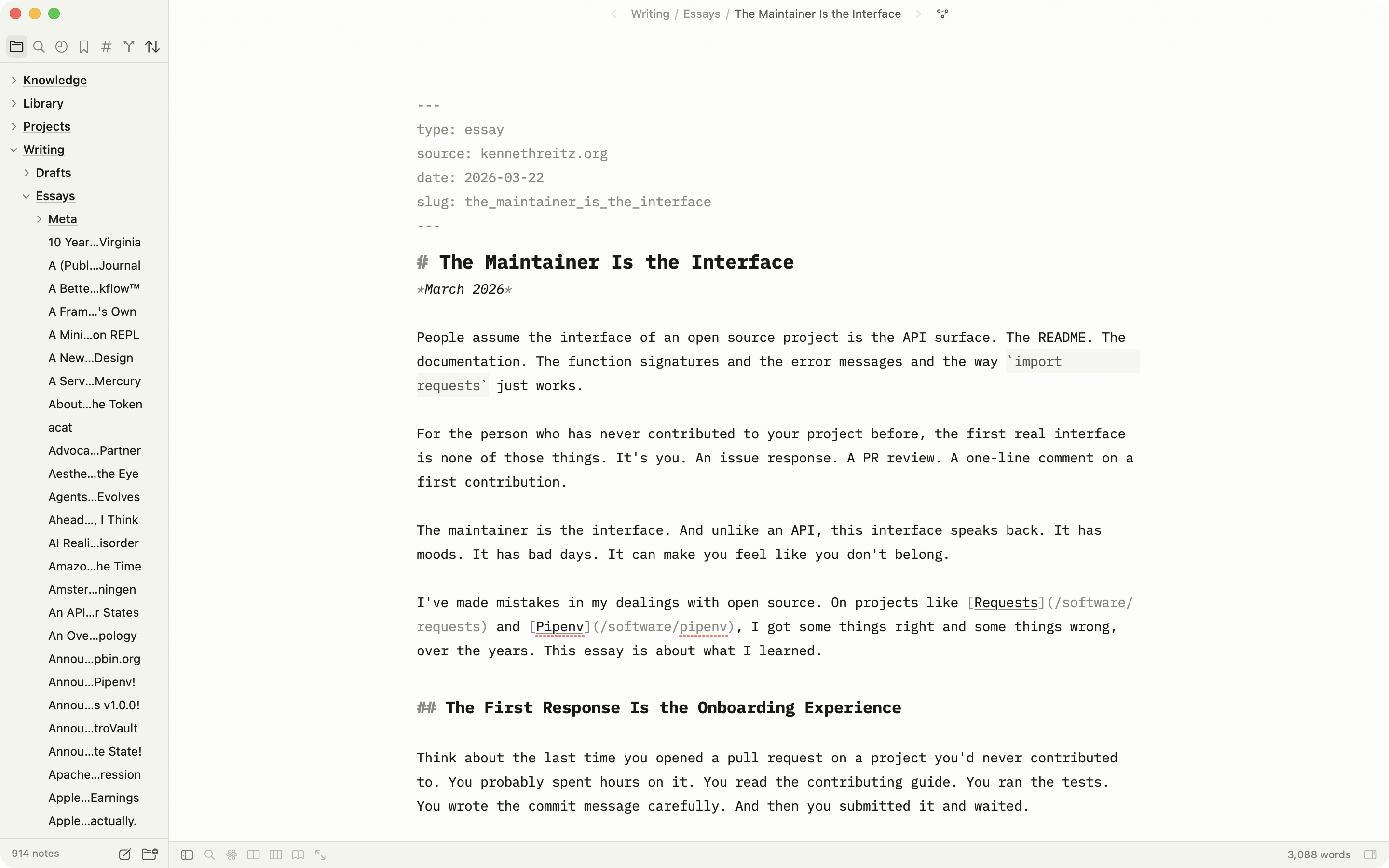 Editing: the same note in IBM Plex Mono, Markdown and frontmatter in plain sight.
And I mean set. Curly quotes and real dashes. True small caps for acronyms. Old-style figures in prose and lining figures in tables. Hyphenation in the note's own language. Hanging punctuation, booktabs tables, numbered captions, a drop cap or small-caps lead-in if you want one. Footnotes become Tufte-style sidenotes that stack in the margin and never collide, and they reflow when the window changes.Write [^n]: {-} … for an unnumbered margin note. On a narrow window the notes fold behind a tap instead of crowding the text. Math works, inline and display, with KaTeX bundled so it works offline too.
Then, because a book should be a book, File ▸ Export as PDF lays a note out as a printed page: margin notes, a running head in small caps, folios, links that still work. Select a folder and it becomes one typeset book with a table of contents.
There's a feeling I've been chasing for years, the moment a rough idea stops looking like a scratchpad and starts looking like it matters. Onyx is that feeling with a keyboard shortcut.
A Voice in the Margins
Some thoughts don't arrive at a keyboard.
Record Audio drops a voice memo straight into the current note, saved in your attachments folder like any other file. When you stop, Onyx transcribes it right there on your Mac and writes the transcript into a callout beneath the recording. Nothing is uploaded. The audio plays inline in the reader, with seeking.
It runs the other direction too. Read Aloud speaks the current note, or just your selection, in the Mac's own voices, with the frontmatter and markup stripped out first. Your ear catches what your eye has already forgiven.
Everything Your Vault Already Does
A vault isn't just prose. Mine is boards and canvases and queries and years of small structure, and an app that only renders paragraphs would have been a pretty way to lose half of it.
So Onyx opens Canvas files, Kanban boards, and Bases views in place. Dataview runs in the reader: tables, lists, task lists with checkboxes that toggle the source note, calendars, inline queries. DataviewJS runs too, inside a sandbox with no network and no file writing, because a notes app should not be a place where a stray script can surprise you.
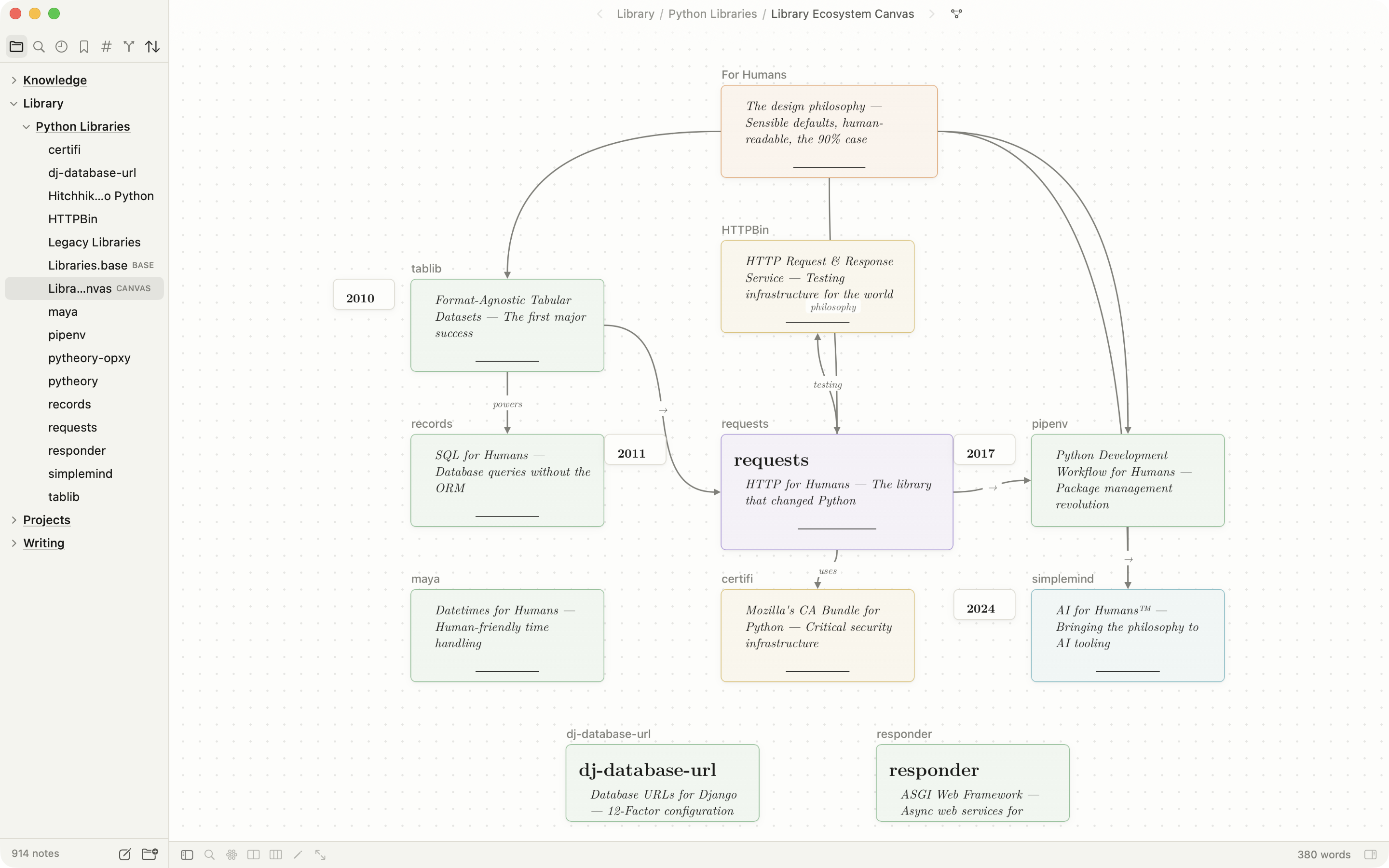 An Obsidian Canvas, opened in place.
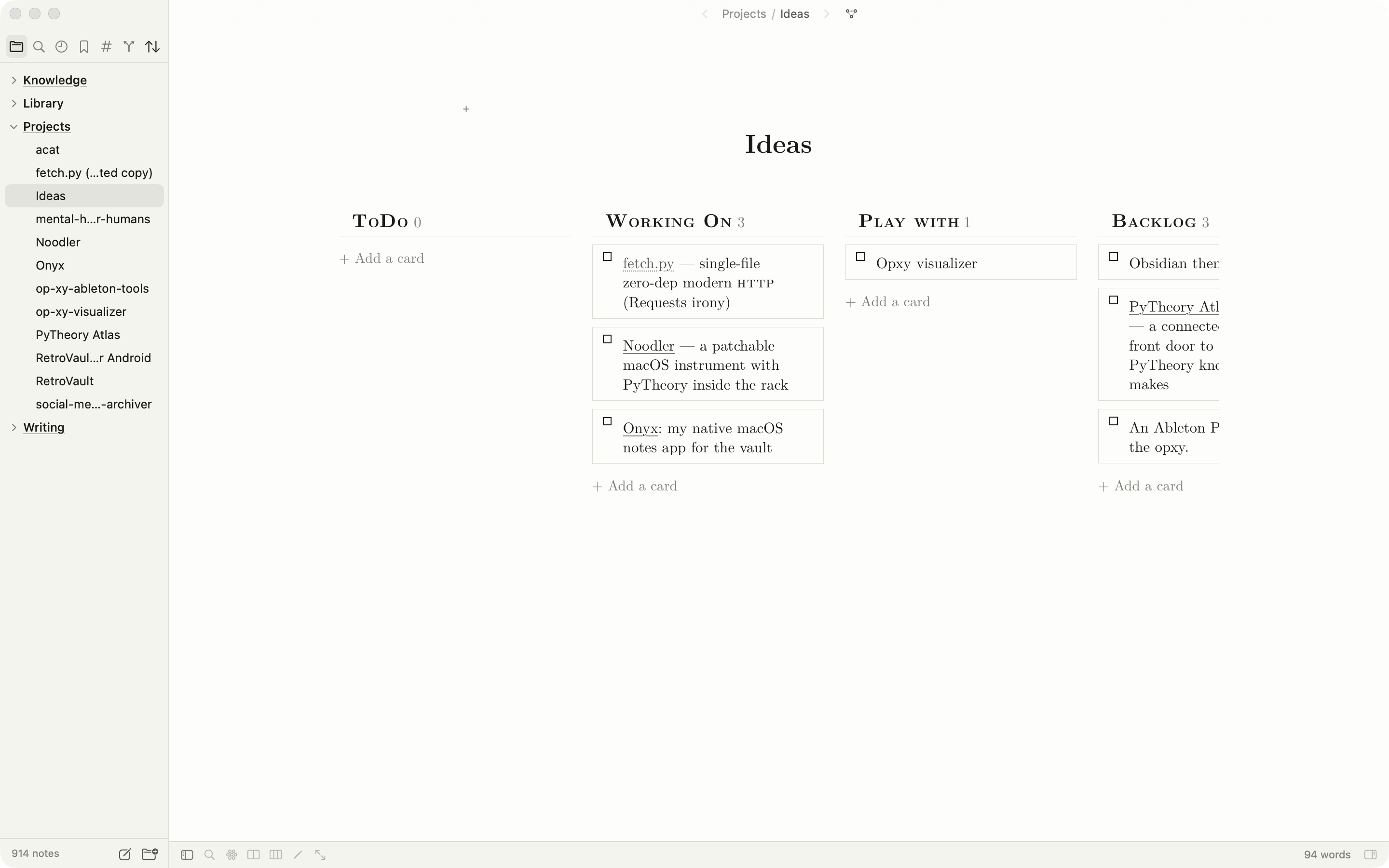 A Kanban board, straight from the vault's Markdown.
The part I'm proudest of is relationships. partOf:: fields become real links. Onyx draws an ancestry path in the title bar, a tree of parts in the inspector, and their own edges in the graph, so a note knows where it lives. The focus graph puts the current note at the center with its neighbors around it, and you travel by clicking. Zoom all the way out and you get the atlas: the whole vault as colored regions that open into folders and notes as you get closer. It's the closest thing I've found to looking at a map of my own thinking.
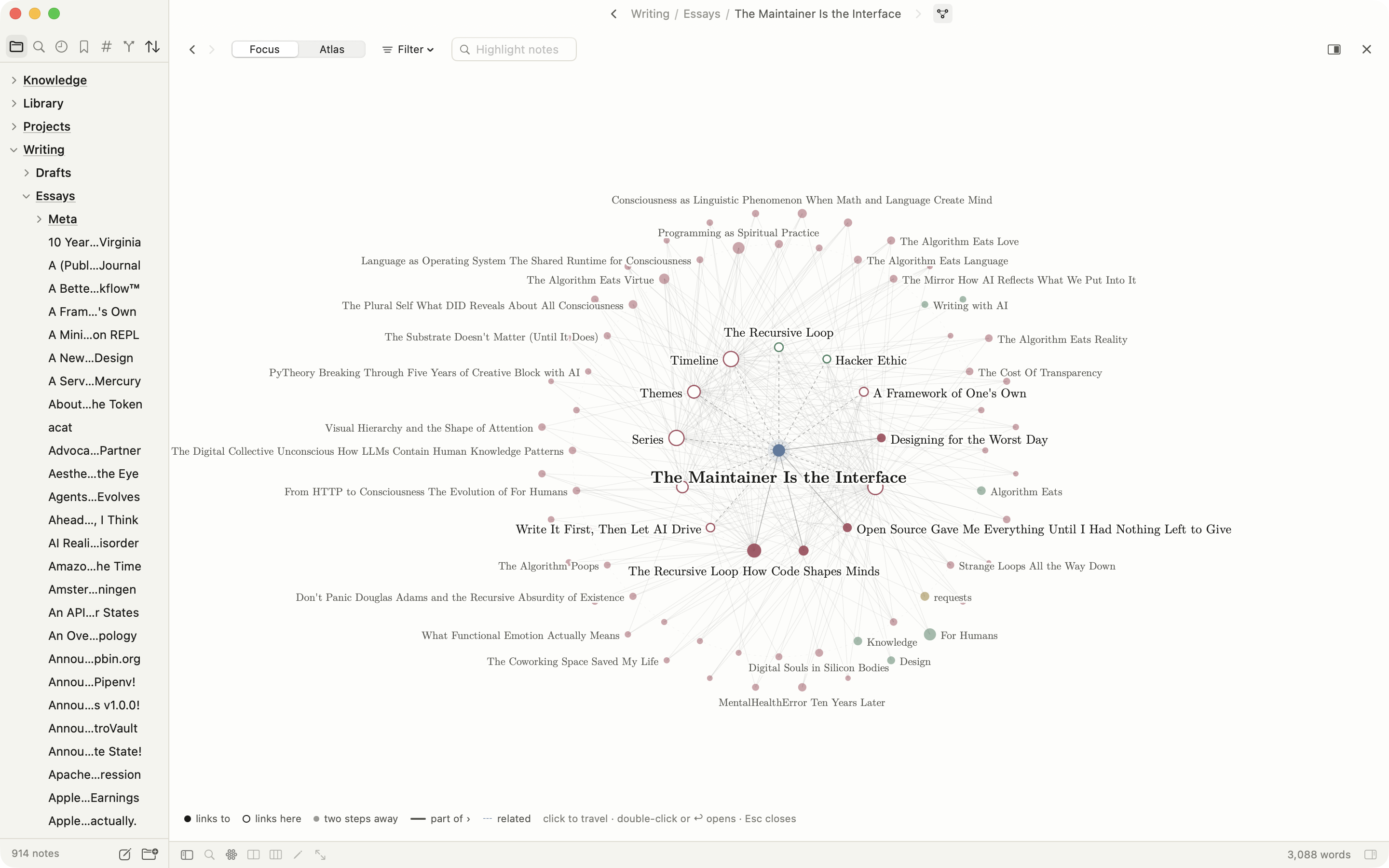 The focus graph: the current note at the center, its neighbors around it.
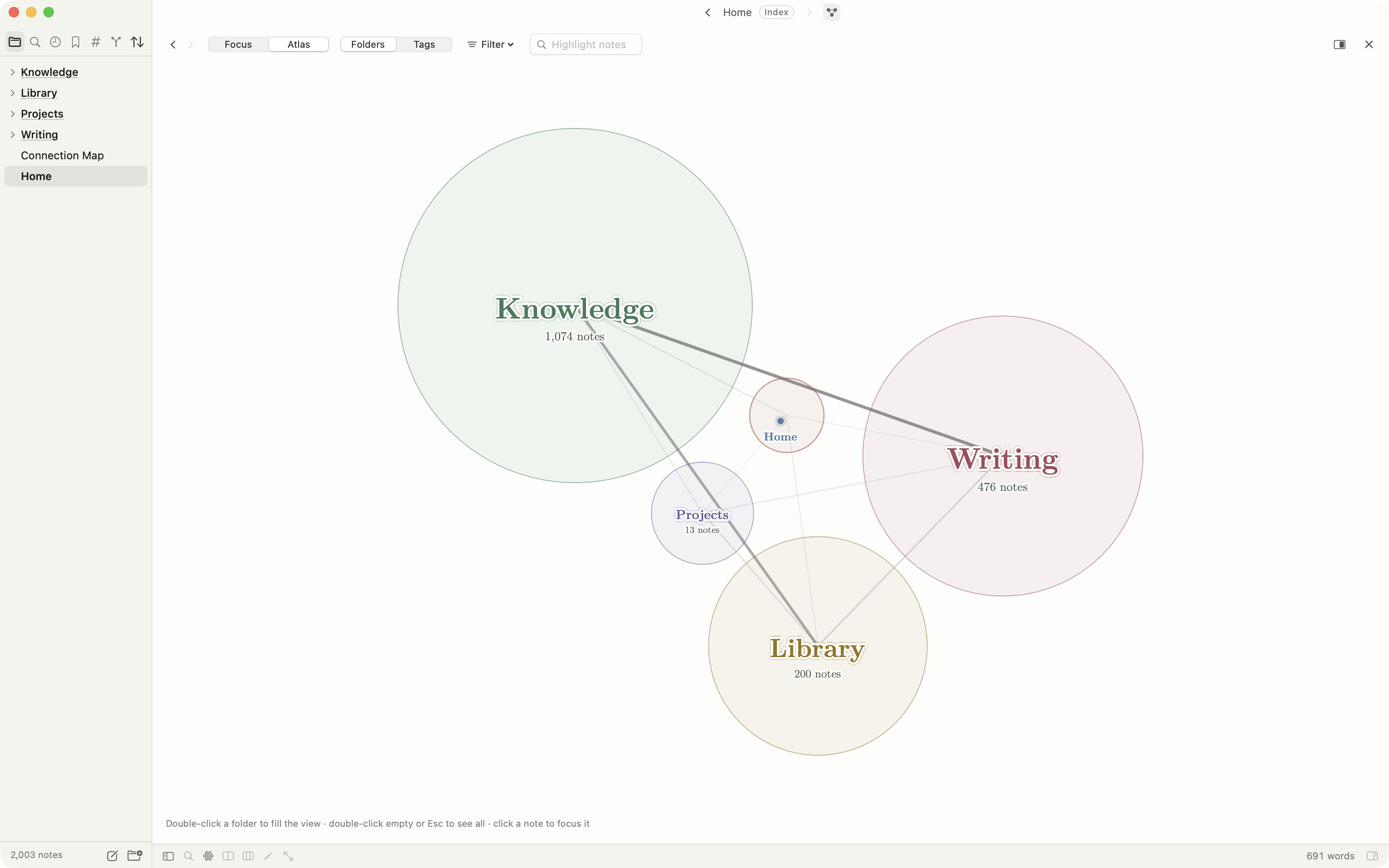 The atlas: a vault of two thousand notes as regions you can zoom into.
And there are the quieter things that make an app feel like home. Obsidian's core commands in a command palette. Lists that continue when you press Return. Folding. Split panes. Drag, drop, or paste an image and it lands in your attachments folder, linked the way Obsidian would link it. A Markdown linter that tidies a note as one undoable edit, and previews before it touches a whole folder.
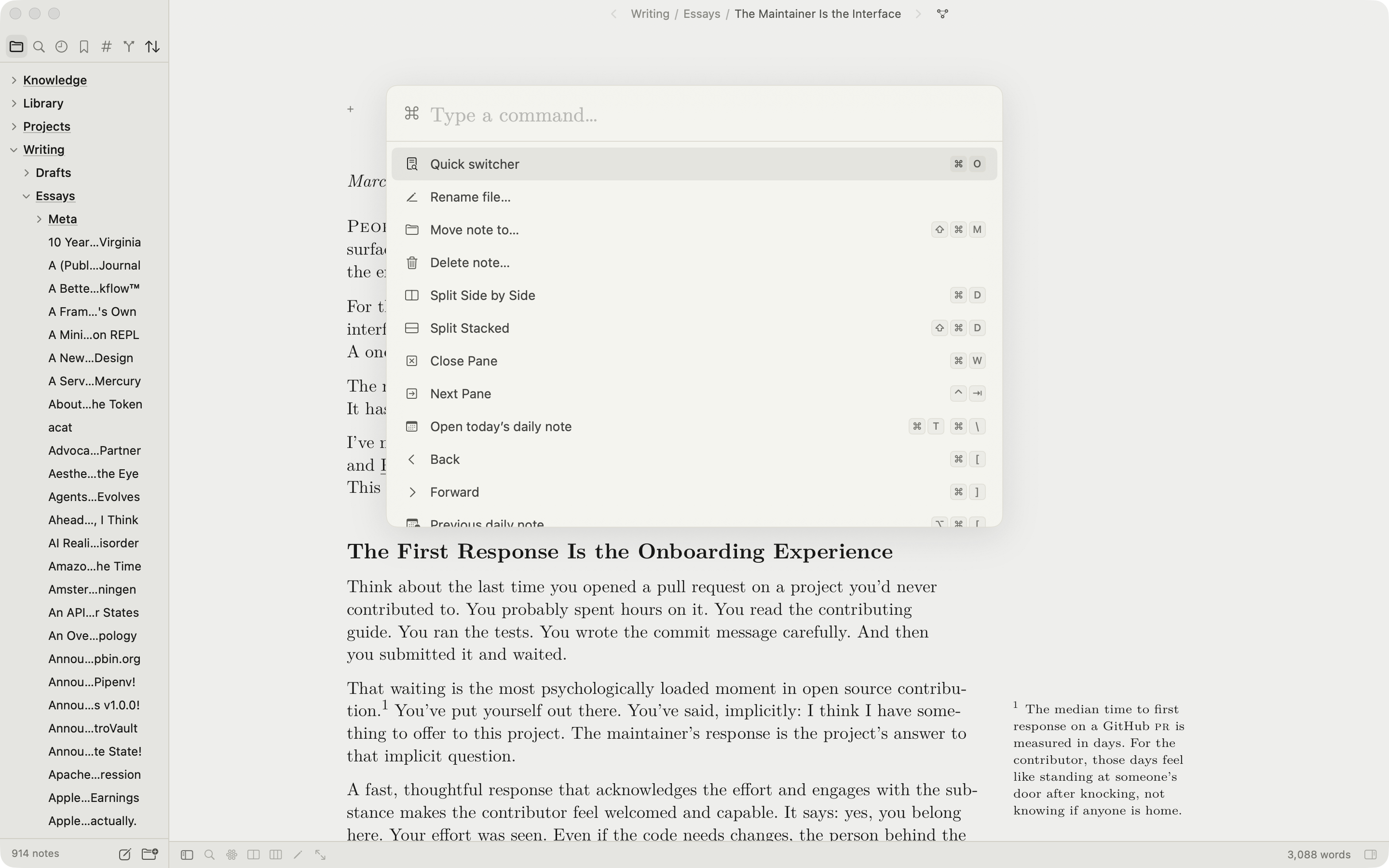 The command palette, with Obsidian's core commands and their shortcuts.
Good Neighbors
Onyx is built to get along with Obsidian, not replace it.
It understands wikilinks, aliases, embeds, image sizes, frontmatter, nested tags, callouts, footnotes, and Mermaid. It reads your daily-note format and template, your attachment folder, your link style. When you change those settings in Onyx, it writes them back to Obsidian's own .obsidian files and leaves every other key alone, so the two apps never disagree about how your vault works. Renaming or moving a note rewrites the links that point to it.
Sync is optional, and the default is that nothing leaves your machine. If your vault is a git repository, Onyx can commit, pull, and push quietly as you write, and it never force-pushes. If you use Obsidian Sync, you can connect a vault under Settings, opt-in, one vault at a time, with your credentials in the Keychain and your files encrypted before they leave.Onyx's Obsidian Sync support is unofficial and still new. The first sync never deletes on either side, and a mass deletion pauses for confirmation instead of propagating. Try it on a throwaway vault first. If you'd rather not, Obsidian's official headless CLI can keep the folder in sync while Onyx simply edits the files. A small footer glyph tells you where things stand, and a Sync Log tells you what happened.
It isn't a plugin host, and it won't pretend to be. When you need something only Obsidian does, "Open in Obsidian" is one click away.
Designed for the Worst Day
I've always been a designer who happens to write code. Requests was an interface argument wearing a library's clothes: the idea that software should be shaped for the human using it, not the machine running it. Onyx is that argument again, aimed at the place I spend more of my life than any other.
The question I kept asking wasn't "what would impress someone on a good day?" It was "what would I want to open on my worst one?" Something calm. Something that won't lose a sentence. Saves are atomic and conflict-aware, and if a file changed underneath you, Onyx asks whether to keep yours, take theirs, or keep both. Focus mode is ⌃⌘F, and it's just the text. There's an OpenDyslexic option in Settings, off by default, there for whoever needs it.
None of that shows up in a screenshot. All of it shows up on a hard afternoon.
Open Source, All the Way Down
Onyx is a Swift package, built from Terminal, and it lives on GitHub at kennethreitz/onyx. I made it public on November 20. In the five days since, it has shipped seventeen tagged releases and 164 commits. That tells you how much fun I'm having, and how early this is.
It's licensed under the GNU Affero General Public License v3.0. I usually reach for permissive licenses. Not this time. An app that holds the most personal writing people have should stay open, and anyone who builds on it should keep it that way. The bundled typefaces, Latin Modern, ET Book, IBM Plex Mono, and OpenDyslexic, keep their own compatible licenses.
Get It
The latest build is on the releases page. Unzip it and drag Onyx to Applications. It wants macOS 14 (Sonoma) or later, on Apple silicon or Intel.
Two honest caveats. The build isn't notarized yet, so the first launch needs System Settings ▸ Privacy & Security ▸ Open Anyway. And it's early: tested against a real vault of a few thousand notes, but moving fast. Back up your vault, or point Onyx at a copy, while it settles. After that first launch, it checks for updates and installs them on its own.
The Page Was Waiting
For years my notes have been the most honest record of my mind I own, and for years they've looked like a text file. That was fine. Plain text is the foundation. But a foundation isn't a home.
Onyx is the home. Your files stay exactly where they are, in exactly the format they were always in. They just get to be read the way they deserve: set, measured, and margined, like something worth keeping.
Write it rough. Read it like a book.